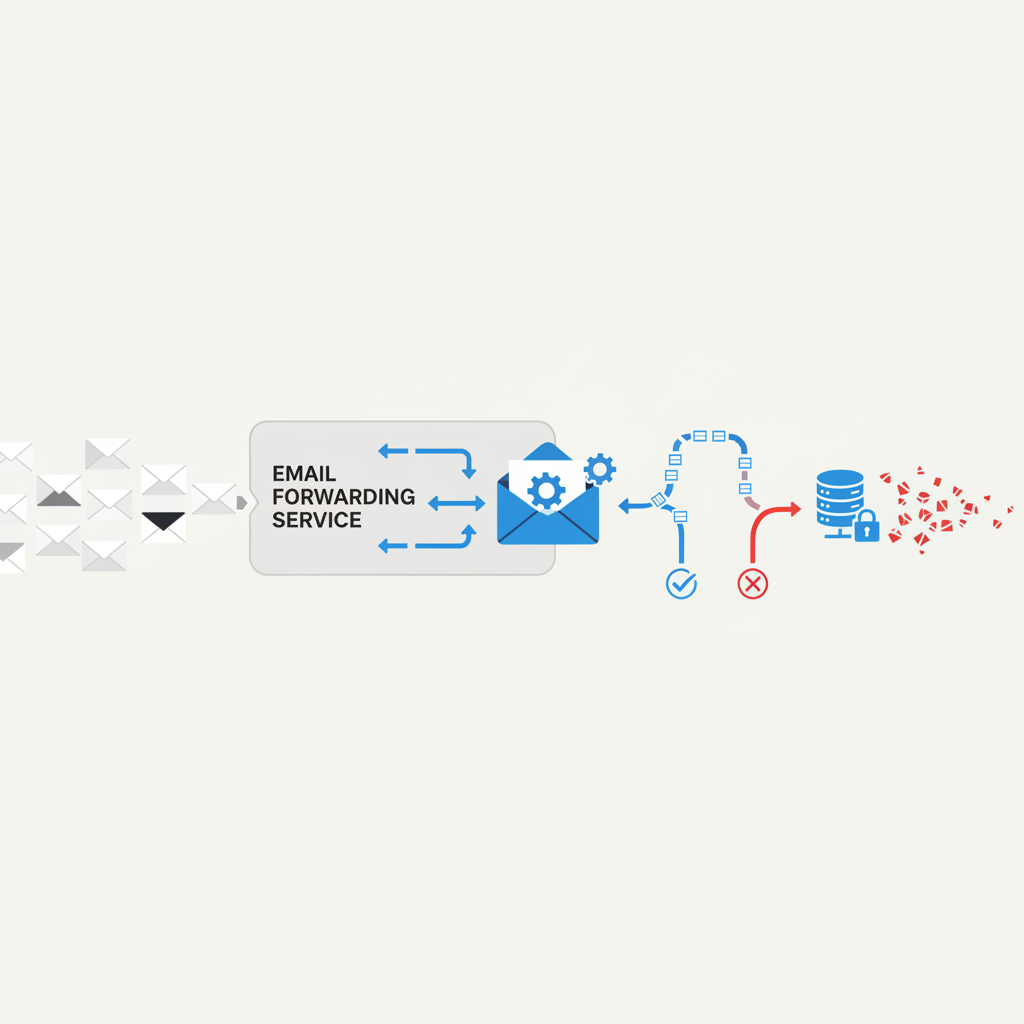
Edge Case: Verifying Emails from Email Forwarding Services
Email validation often seems straightforward: check MX records, probe an SMTP server, maybe look for disposable domains. But the real world of email is a labyrinth of configurations, and one common pattern that introduces significant complexity is email forwarding. When you're trying to determine if an email address is truly deliverable, forwarding services throw a wrench into the works.
At Verifyr, we encounter these edge cases constantly. Our goal isn't just to give you a "yes" or "no," but to provide the most accurate and transparent data possible, especially when the underlying reality is nuanced. This article delves into the specifics of verifying emails that use forwarding services, explaining the challenges and how Verifyr helps you navigate them.
The Mechanics of Email Forwarding
Before we discuss validation, let's briefly recap how email forwarding typically works. An email forwarding service acts as an intermediary. When an email is sent to an address managed by the forwarder (e.g., alias@yourdomain.com), the forwarder accepts the mail and then immediately re-sends it to a different, pre-configured "real" email address (e.g., realemail@gmail.com).
Common scenarios include:
- Custom Domain Forwarding: You own
yourdomain.comand configure its MX records to point to a service like Cloudflare Email Routing, ImprovMX, or a similar provider. Emails tocontact@yourdomain.comare then forwarded toyourpersonal@outlook.com. - Privacy/Alias Services: Services like SimpleLogin, AnonAddy, or ProtonMail Aliases create unique, often random, email addresses (e.g.,
randomstring@simplelogin.com) that forward to your primary inbox. - Catch-all Forwarding: An entire domain is configured to forward all mail to a single address, regardless of the local part. This is often seen on personal domains.
From the sender's perspective, they're sending to alias@yourdomain.com. From the ultimate recipient's perspective, they receive mail from the original sender, often with "via forwarder.com" in the headers.
Why Traditional Validation Struggles
The intermediary nature of forwarding services creates significant hurdles for real-time email validation:
- MX Records Point to the Forwarder, Not the Destination: The DNS MX records for
yourdomain.comwill point to the forwarding service's mail servers (e.g.,mx.improvmx.com), not togmail.comoroutlook.com. This is correct, but it means we can only validate the forwarder's ability to receive mail. - SMTP Probe Responses are Misleading: When an SMTP probe (a critical step in real-time validation) connects to the forwarding service's mail server, it typically behaves in one of two ways:
- It accepts the email address if the alias is configured, even if the final destination is invalid. The forwarder's job is to accept and try to forward, not to validate the ultimate recipient in real-time. It doesn't know if
realemail@gmail.comactually exists until it attempts delivery. - It rejects the email address if the alias itself is not configured on the forwarding service. This means a successful SMTP probe against a forwarder only confirms the forwarder is willing to accept the mail for that alias, not that it will ultimately be delivered to a valid inbox.
- It accepts the email address if the alias is configured, even if the final destination is invalid. The forwarder's job is to accept and try to forward, not to validate the ultimate recipient in real-time. It doesn't know if
- Disposable Detection Complications: While the forwarding service itself might not be disposable, it can be used to forward to a disposable email address. Detecting the forwarder doesn't tell you about the final destination.
- Catch-all Flag Ambiguity: A forwarding service might be configured as a catch-all for a domain, meaning it accepts all mail for that domain. However, the final destination might not be a catch-all, or the specific alias might not exist. Distinguishing between a forwarder's catch-all behavior and a true catch-all at the final inbox is difficult without direct access to the final inbox's mail server.
Verifyr's Approach to Forwarding Services
Given these challenges, Verifyr adopts a pragmatic and transparent approach. We acknowledge the inherent limitations of real-time validation when a forwarder is involved. Our goal is to provide you with the most accurate information available at the time of validation, identifying forwarding services and explaining what that implies.
Here's how Verifyr handles forwarding services:
- Identification: Verifyr uses a combination of MX record analysis, known forwarding service patterns, and heuristic SMTP probe responses to identify when an email address is likely managed by a forwarding service. We maintain a database of common forwarders.
- SMTP Probe to the Forwarder: We perform a full SMTP probe to the detected forwarding service's mail server. This probe tells us:
- Whether the forwarding service itself is operational and accepting mail for the given alias.
- Whether the alias is configured (e.g.,
contact@yourdomain.comis set up to forward). If the alias is not configured, the forwarder will likely reject the address, and Verifyr will report it as invalid.
- Flagging
is_forwarding: true: Crucially, if we identify an email address as using a forwarding service, we explicitly flag it withis_forwarding: truein our results. This tells you that while the address may appear "valid" (meaning the forwarder accepts it), there's an additional layer of indirection. - Limited Visibility into Final Destination: We cannot, in real-time, determine the validity of the final destination behind the forwarder without sending an actual email. This is a fundamental limitation of email validation and one we are honest about. The
validstatus primarily reflects the forwarder's acceptance.
Concrete Examples and Scenarios
Let's look at a couple of real-world examples to illustrate Verifyr's output for forwarded emails.
Example 1: Custom Domain with Cloudflare Email Routing
You own example.com and use Cloudflare Email Routing to forward support@example.com to myteam@gmail.com.
When Verifyr validates support@example.com:
- MX Check: Verifyr sees MX records pointing to Cloudflare's mail servers (e.g.,
mx.cloudflare.net). - SMTP Probe: Verifyr connects to Cloudflare's server. If
support@example.comis a configured route in Cloudflare, the server will respond with a success code (e.g.,250 OK), indicating it's ready to accept mail for that address. -
Verifyr's Output (simplified JSON snippet):
json
{
  "email": "support@example.com",
  "result": "valid",
  "reason": "accepted_email",
  "is_disposable": false,
  "is_free": false,
  "is_catch_all": false,
  "is_forwarding": true,
  "domain_info": {
    "domain": "example.com",
    "mx_records": [
      {"host": "mx.cloudflare.net", "priority": 10},
      // ... other Cloudflare MX records
    ]
  }
}
Interpretation: The
result: "valid"means that Cloudflare's servers are set up to accept mail forsupport@example.comand will attempt to forward it. The crucial flag here isis_forwarding: true. This tells you that the ultimate destination (myteam@gmail.com) is not directly validated in real-time. Ifmyteam@gmail.comwere to become invalid, Cloudflare would eventually bounce the email, but Verifyr wouldn't know this at the time of validation.
Example 2: Generic Forwarding Service (e.g., SimpleLogin)
A user signs up with random_alias@simplelogin.com, which forwards to their `secure